

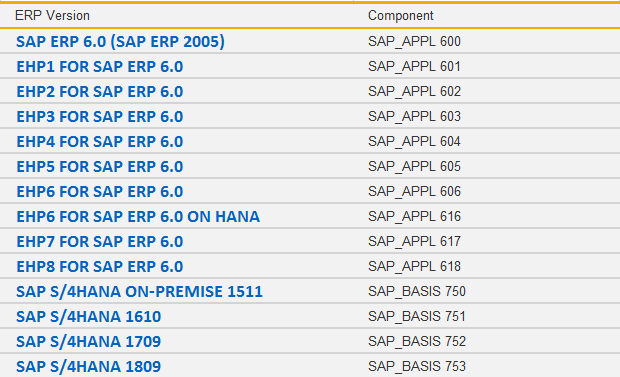
In this tutorial, you will learn how to check your SAP ERP system version.
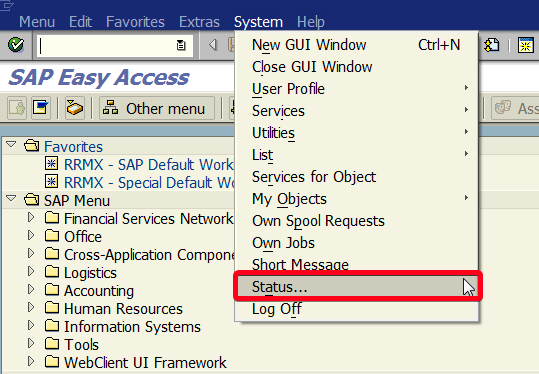
Step 1. To check your SAP ERP system version choose System | Status… from the top menu:
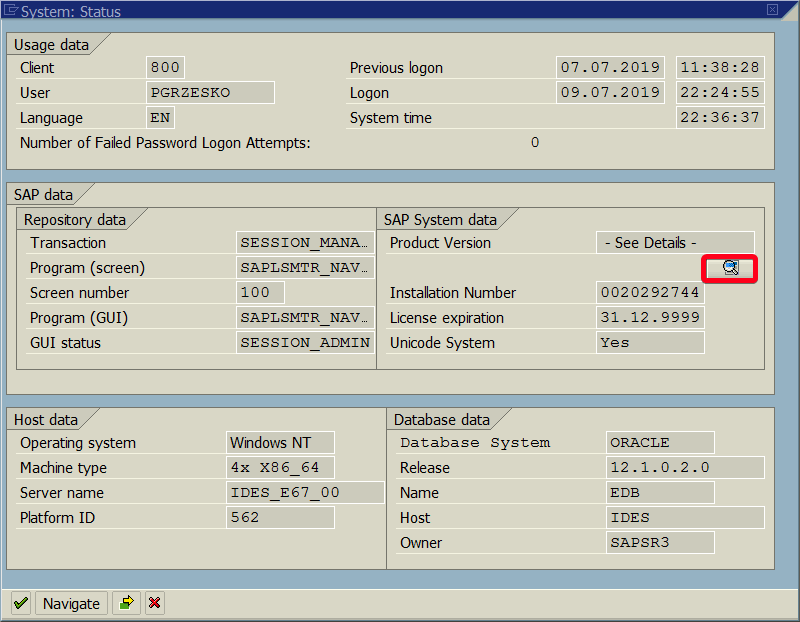
Step 2. In System: Status window click on Check Version button:
Step 3. There are two component that you should check the first one is SAP_BASIS:
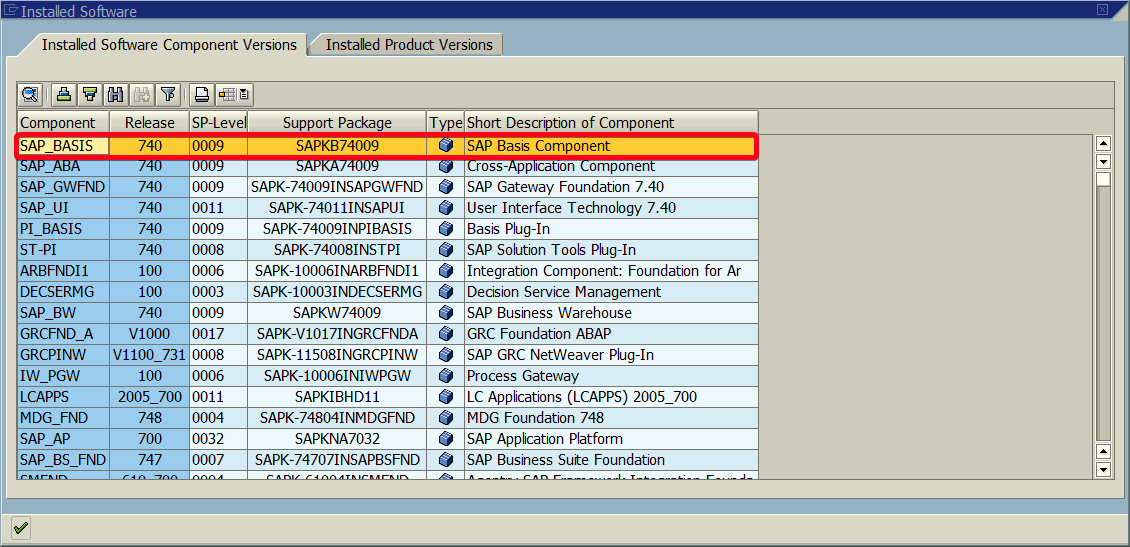
Step 4. The second one is SAP_APPL:
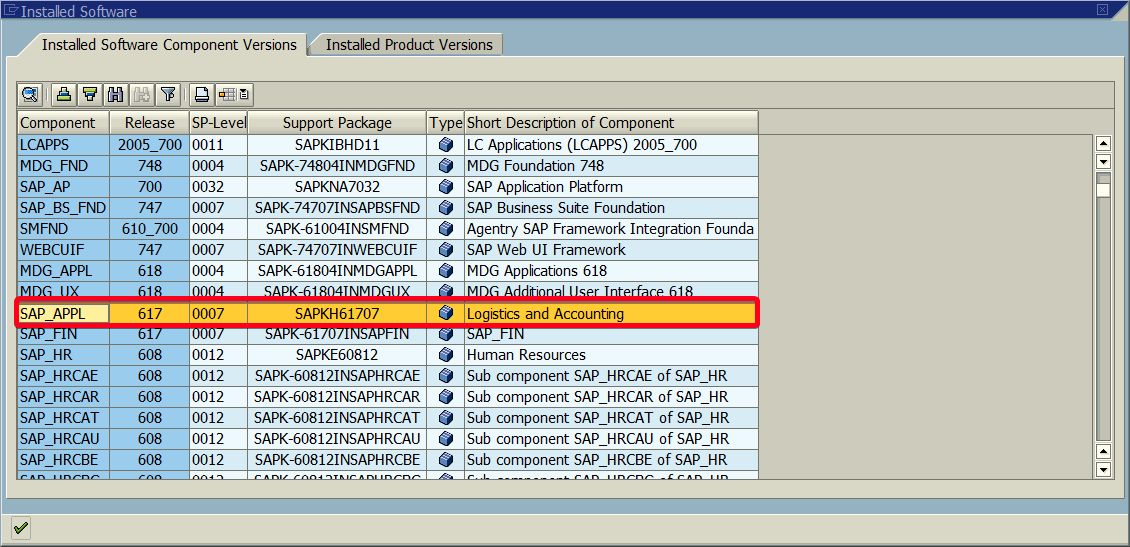
Step 5. In this case, we are dealing with SAP ERP Central Component (ECC) with SAP enhancement package 7 for SAP ERP 6.0. Check the following table to recognize your system version:
